Project
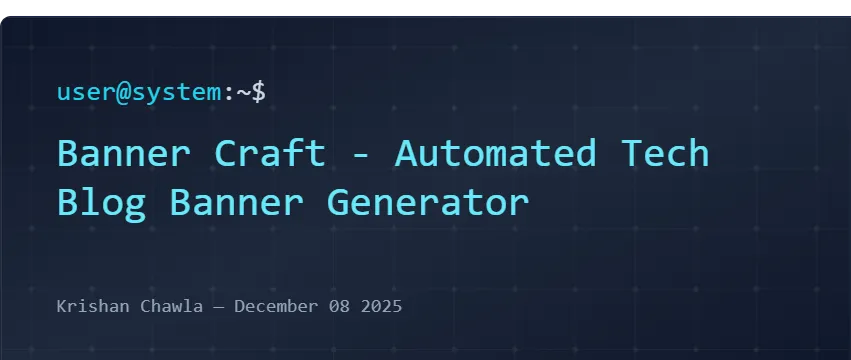
BannerCraft – Automated Tech Blog Banner Generator
A lightweight yet powerful internal tool built to automate the creation of visually consistent, professional hero banners for technical blogs.
Key highlights
- ⚡15+ fully responsive, tech-themed banner layouts
- 🎨 30+ gradients, 20+ patterns, and 12+ accents
- 🧠 Smart auto-scaling based on layout size
- 🖼️ Instant export to PNG and OG sizes
- 🧩 Tech icon packs for Web Dev, DevOps, and AI/ML
- 🎛️ Preset themes for one-click styling
Overview#
BannerCraft is a custom-built banner generator designed specifically for technical blog authors.
It eliminates the repetitive, time-consuming process of designing banner images manually for each article.
The tool features a flexible layout engine, dynamic patterns, gradients, icon packs, and an intelligent auto-scaling system, producing professional-quality banners instantly — with no design tools required.
Although not built to create widespread impact, BannerCraft represents how small, thoughtful automations can significantly improve developer productivity.
Why I Built This#
As someone who writes technical blogs, I noticed that creating hero images took far more time than it should:
- Opening a design tool
- Choosing colors and fonts
- Manually aligning elements
- Exporting multiple resolutions
- Ensuring consistency across posts
For a single banner, this easily took 10–30 minutes — interrupting my writing flow.
BannerCraft was built to solve my own frustration:
“A small internal tool, designed well, can create disproportionate leverage.”
Instead of recreating the same design repeatedly, I automated the entire workflow.
Core Features#
1. Layout Engine#
BannerCraft includes a growing collection of handcrafted layouts:
- Classic Terminal
- CodeBlock
- Patchwork
- Magazine
- Tech Grid
- Card Stack
- Minimal
- Split Left / Split Right
- Console Log
- Tech Orbit
- And more…
Each layout is designed with clean spacing, precise ratios, and a developer-friendly aesthetic.
2. Responsive Auto-Scaling System#
A central part of BannerCraft is its ability to adapt designs to any output size:
- OG images
- Compact preview cards
- Square thumbnails
- Twitter and OpenGraph previews
Typography, spacing, and icons resize intelligently based on:
- Layout type
- Title length
- Export ratio
This prevents text cutoff and ensures a professional, polished banner every time.
3. Gradient, Pattern & Accent System#
BannerCraft includes:
- 30+ custom gradients (cyberpunk, neon, matrix, terminal dark, noir)
- 20+ patterns (code mesh, waves, circuitry, hologram, scanlines, grids)
- 12 accent color themes with border/text/background mappings
These design primitives create a consistent look across all banner templates.
4. Tech Icon Packs#
A unique feature is the curated icon packs:
- Web Development — React, JS/TS, Node, Tailwind, Vite
- DevOps — Docker, Git, GitHub, Terraform, Kubernetes
- AI/ML — Python, TensorFlow, Circuit board, Brain model
Icons are used subtly in the background or as accent markers depending on layout.
5. Presets System#
BannerCraft ships with pre-designed theme presets:
- Matrix Hacker
- Cyber Blue
- Dark Code
- InfraRed Scan
- Digital Sand
- Hyper Blue
- Purple Nebula
- Console Noir
Each preset combines gradients, patterns, accents, and layouts to inspire fast creation.
6. Export Options#
The tool supports one-click export to:
- High-resolution PNG
- Transparent PNG (for overlays)
- Platform-specific OG dimensions
This makes it ideal for blogs, social posts, documentation, or personal branding.
Usage Scenarios#
📝 Technical Blogging#
Generate consistent hero images for blog posts in seconds.
📣 Social Media Thumbnails#
Instantly create stylish Twitter, LinkedIn, or GitHub thumbnails.
📘 Documentation#
Use themed banners for internal or external documentation pages.
🧪 Developer Tooling#
Great for micro-tools, landing pages, release notes, and side projects.
What I Learned#
Working on BannerCraft helped reinforce:
- How thoughtful UI/UX design dramatically improves developer tooling
- How small automations can remove consistent friction from workflow
- The importance of responsive design systems in visual generators
- Building reusable design tokens (gradients, patterns, accents)
- Clean architecture for layout renderers and preview engines
Most importantly, it showed how tiny internal tools can lead to massive personal efficiency gains.
Final Thoughts#
BannerCraft started as a way to solve a personal inconvenience — but grew into a complete design system for technical banners.
It reflects a core belief:
“Great engineering isn’t always about solving big problems.
Sometimes, it’s about simplifying the small ones that slow us down every day.”
BannerCraft continues to evolve with new layouts, presets, and design capabilities.